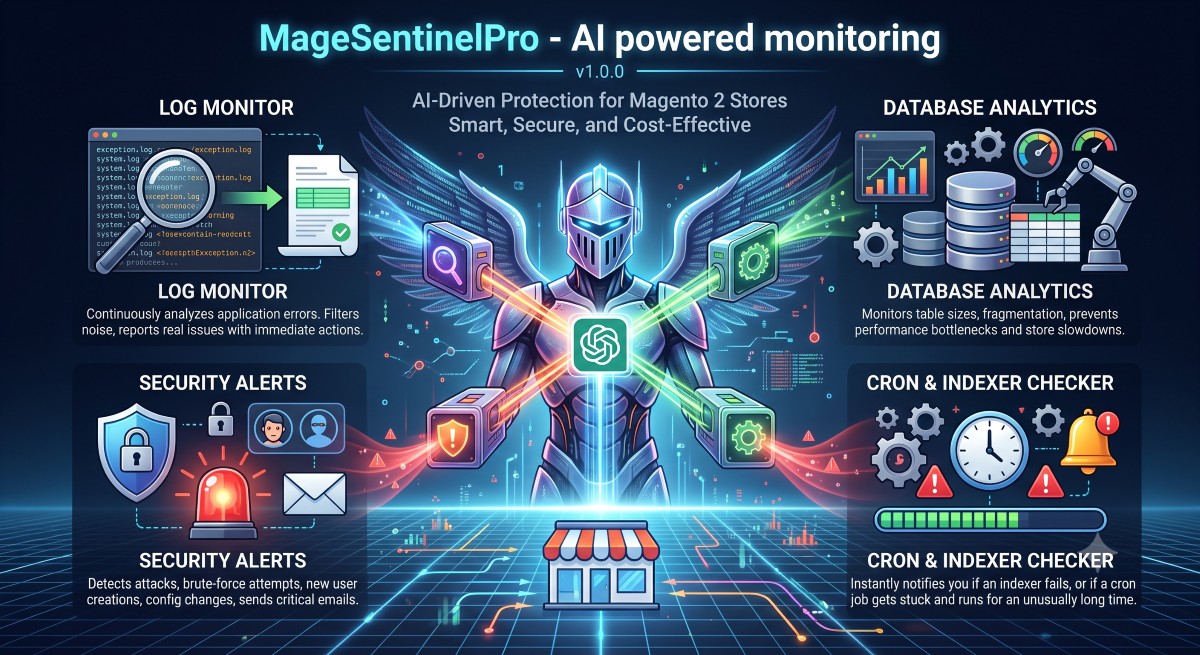
MageSentinelPro - AI powered monitoring
v1.0.3AI-Driven Protection for Magento 2 Stores
Smart, Secure, and Cost-Effective
MageSentinelPro automatically monitors your store's logs, database, security events, and infrastructure. Using OpenAI, it translates raw technical data into clear, actionable findings with urgency ratings.
Four Dedicated AI Sentinels, 24/7
The system protects your store using independent monitoring modules (collectors).
- Log Monitor: Continuously analyzes application errors in exception.log and system.log. It filters out the noise and reports only real issues with immediate recommended actions.
- Database Analytics: Monitors table sizes, fragmentation, and rapid changelog table growth, preventing performance bottlenecks and store slowdowns.
- Security Alerts: Detects admin logins, new user creations, configuration changes, and brute-force attack attempts, sending critical emails when necessary.
- Cron & Indexer Checker: Instantly notifies you if an indexer fails, or if a cron job gets stuck and runs for an unusually long time.
Complete Visibility & Token Tracking
Track your AI usage with complete transparency. The centralized dashboard gives you a quick overview of recent analyses, their urgency levels, and detailed statistics including total tokens used, average request time, and exact estimated costs down to the fraction of a cent.
- Global token and cost statistics
- Filterable analysis history
- Color-coded urgency badges
Actionable AI Insights
Stop guessing what went wrong. When an anomaly is detected (like suspicious admin users or critical configuration changes), the AI provides a human-readable summary. Every single finding comes with its own urgency tag and a clear, step-by-step recommended action.
- Plain-language executive summaries
- Granular findings with specific advice
- Instant overview of exact request cost
Bring Your Own Key & Dynamic Models
Total control over your AI integration. Simply paste your OpenAI API key and sync the latest available models (like gpt-4o-mini or o3-mini) directly from OpenAI's servers. Set up critical alert emails and define individual cron schedules for each collector.
- Dynamic dropdown for AI models
- Configurable threshold & token limits
- Enable/disable specific collectors
Simple, Transparent Pricing
Stop paying hundreds of dollars a month for complex monitoring tools. MageSentinelPro pays for itself by saving you just 2 hours of developer debugging time.
Yearly License For Magento 2 Open Source: $129 / year
- 24/7 AI Monitoring (Logs, DB, Security, Cron)
- 1 Year of Free Updates & Support
- Use on multiple environments (Staging/Prod)
- You control your OpenAI API key (Costs < $1/mo)
1.0.3
Cleaned up the Webtech Solutions admin menu.
1.0.2
Add missing dependency to composer.json
1.0.1
Removed duplicated code shared with AI Core: the default-model dropdown, "Sync AI Models Now" button, dashboard "View" row action, and estimated-cost column now use the single shared implementation in AI Core instead of separate copies; no visible change in behavior
1.0.0
- MageSentinelPro admin menu entry moved under the shared "Webtech Solutions" parent (defined in AiCore)
- Fixed AI responses returning markdown instead of JSON: collector prompts (with embedded JSON format instructions and sanitized data) are now correctly sent as the user message to OpenAI
- Refactored to use WebtechSolutions_AiCore as the shared AI client base: removed duplicate OpenAI HTTP client, PII sanitizer, and API key/model configuration in favour of centralised implementations in AiCore; API key and model selection are now configured exclusively in AI Central Settings
- Log tail line count is now configurable in admin (General Settings > Log Tail Lines), replacing the previous hardcoded value of 500
- Raw log lines are deduplicated before error extraction: identical lines are collapsed into a single entry annotated with an occurrence count (e.g. "occurred 3 times")
- Absolute timestamps in log error messages are converted to relative time expressions (e.g. "5 minutes ago") before sending to OpenAI
- Cron Collector stuck jobs now include execution_time_seconds (seconds elapsed since job started running)
- Added automatic weekly sync of available OpenAI chat models via /v1/models (every Monday 03:00); model list stored in config and used to populate the AI Model select field in admin
- Added "Sync AI Models Now" button in admin config to trigger an immediate sync
- If the configured model is no longer available after a sync, the system automatically falls back to the best available mini model (or the first available model)
- Fallback check also runs at the start of each monitoring cron job
- Added token usage (total, prompt, completion tokens), request time (ms), and estimated cost per AI call to the database and dashboard table
- Added per-collector system prompt configuration fields in admin (Stores > Configuration > MageSentinelPro > System Prompts)
- Added per-collector enable/disable toggles in admin (Stores > Configuration > MageSentinelPro > Collector Settings)
- Added token usage statistics panel above the dashboard grid showing total runs, total tokens, total/average cost, and average request time — broken down by collector